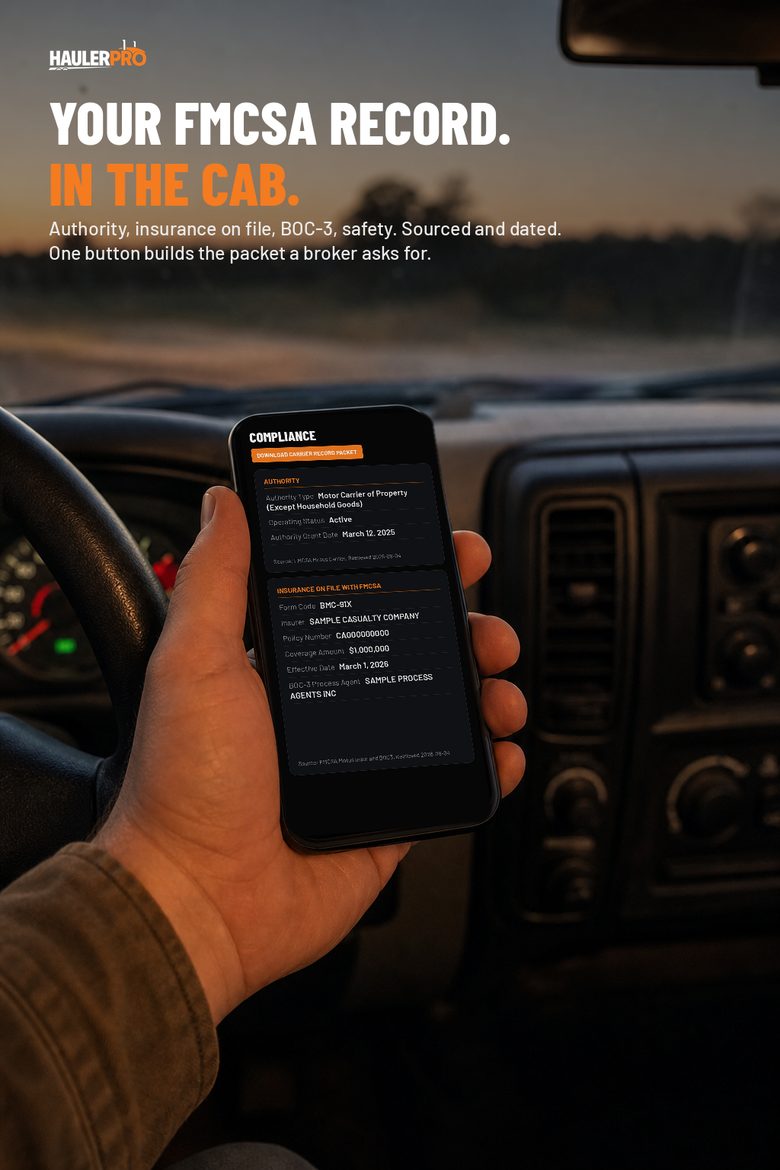
You got your authority. The MC number came through, the insurance is filed, the BOC-3 is on record, and the truck is ready. Then you call a broker about a load and the first thing you hear is: send me your packet.
If you are new, that sentence can cost you the load. Not because you are missing anything, but because the things they want live in four different places, and none of them look like something you would hand to a stranger who is deciding whether to trust you with freight.
This is what that packet is, why every broker asks for it, and how HaulerPro now builds it for you from your own record.
What a broker actually asks for
The list barely changes from one brokerage to the next. Before a broker books a carrier they have never worked with, they want to see:
- Operating authority. That your MC number is active and what type of authority it is.
- Insurance on file with FMCSA. The BMC-91X liability filing, who wrote it, the amount, and when it took effect. Cargo coverage if you carry it.
- BOC-3. That you have a process agent designated, which is a condition of holding authority.
- Safety record. Your rating if you have one, and your inspection and crash history.
- Your equipment. What you run, and increasingly, photos of it.
- A way to reach you. A phone number and an email that go to a person.
Most brokers also ask for a copy of your certificate of insurance from your agent and your operating authority letter from FMCSA, plus a W-9, and they will send you their own carrier agreement to sign.
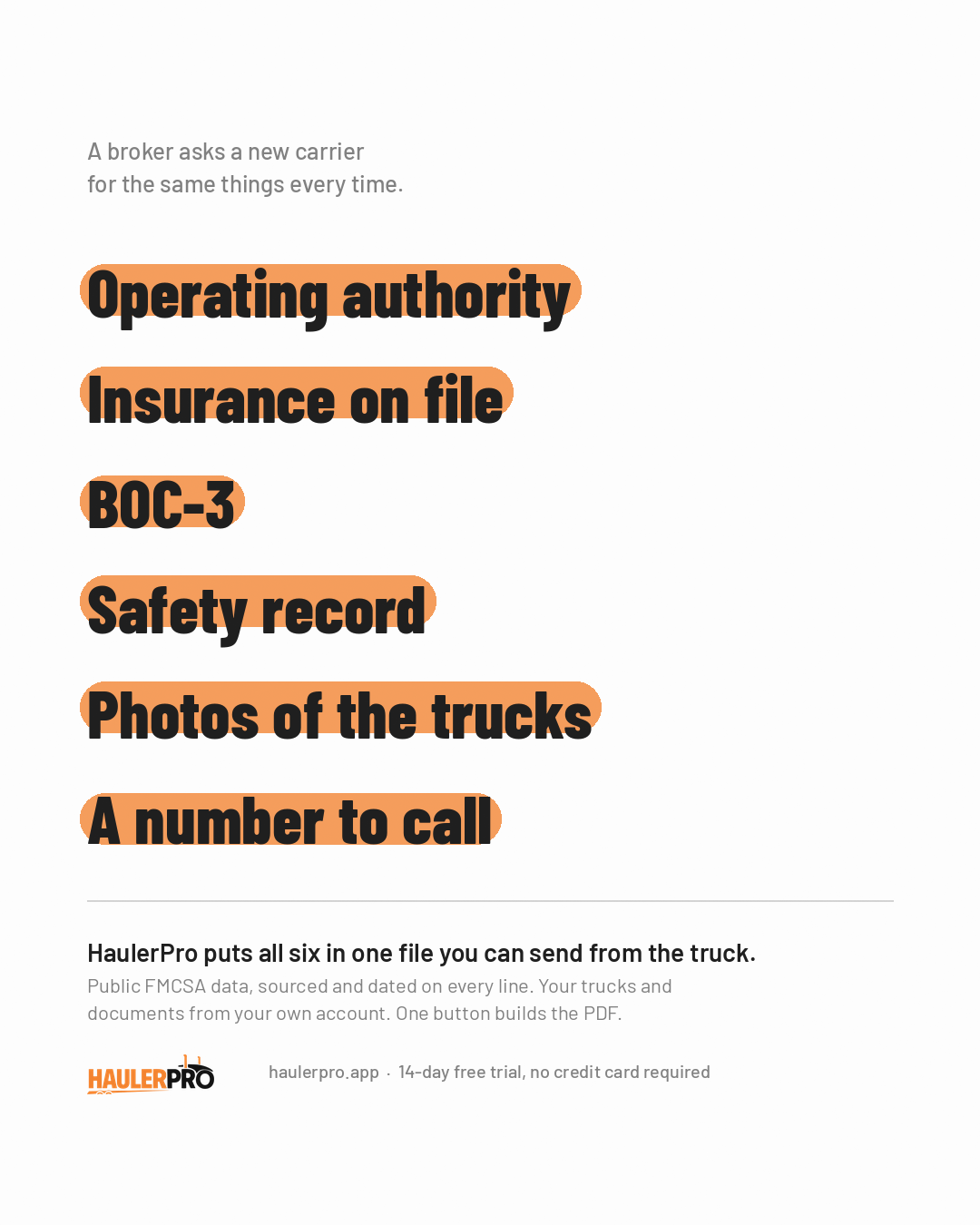
Here is the part new carriers do not always know: items 1 through 4 are public. FMCSA publishes them. A broker with your USDOT number can look them up without you. What they are really asking is whether you can put it all in front of them quickly, cleanly, and in a form that shows you know what you are doing.
Why it matters more now
Brokers are vetting harder than they used to. A carrier who takes two days and four emails to produce paperwork looks like more work than a carrier who sends one file in five minutes. When two carriers quote the same lane, the one who is easier to onboard often gets the call.
On May 14, 2026, the Supreme Court decided Montgomery v. Caribe Transport II, LLC, holding unanimously that a state-law negligent-hiring claim against a freight broker is not preempted by the federal FAAAA.[1] In plain terms, a broker can now be sued under state law for choosing an unsafe carrier. Law firms advising brokers have since told them to document their carrier vetting and set a written selection policy.[2] That is the reason the "send me your packet" request is getting more careful, not less.
None of that changes the rules a broker sets. Some will not book an authority younger than 90 days no matter what you send. What a clean packet changes is how you look to the ones who will.
What the Compliance page shows
HaulerPro now has a Compliance page in your account. It pulls your public FMCSA record and shows it in one place, in FMCSA's own words, with the source and the date it was retrieved on every line.
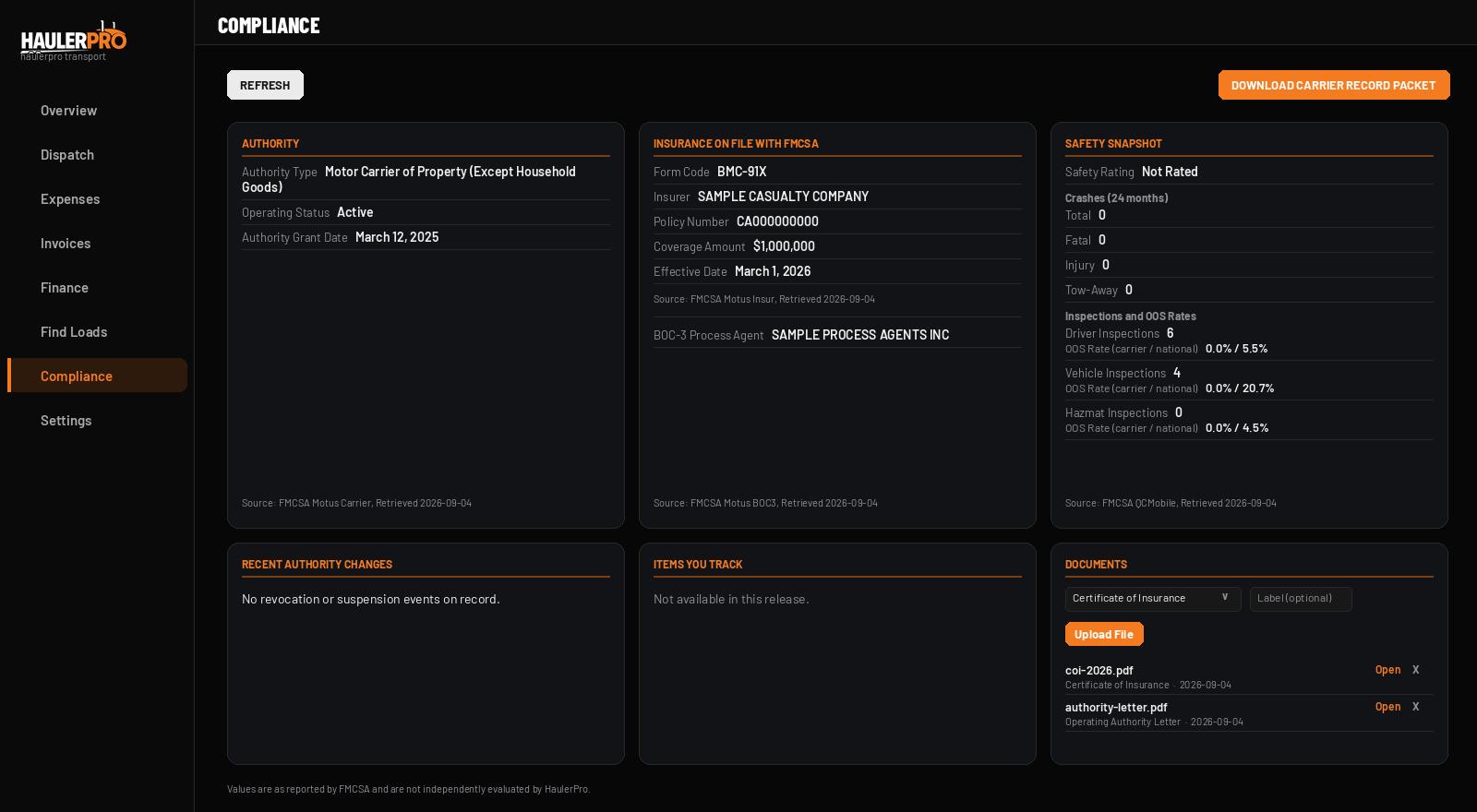
- Authority. Your operating authority type, its status, and the date it was granted, from FMCSA's licensing datasets.
- Insurance on file with FMCSA. The filing form code, the insurer, the policy number, the coverage amount, and the effective date, as filed with FMCSA. Plus your BOC-3 process agent by name.
- Safety snapshot. Your safety rating, crashes in the last 24 months, inspection counts, and your out-of-service rates shown next to the national averages. No judgment words, just the numbers side by side.
- Recent authority changes. Revocation or suspension events if any are on record, including history from before FMCSA's May 2026 system change.
- Documents. Where you upload your certificate of insurance, your authority letter, your W-9, or anything else you want in the packet.
The data refreshes every night. If FMCSA has no record of something, the page says exactly that and the date it looked, rather than guessing. If FMCSA could not be reached, it says that instead. Those are different situations and the page never blends them.
What the Carrier Record Packet is
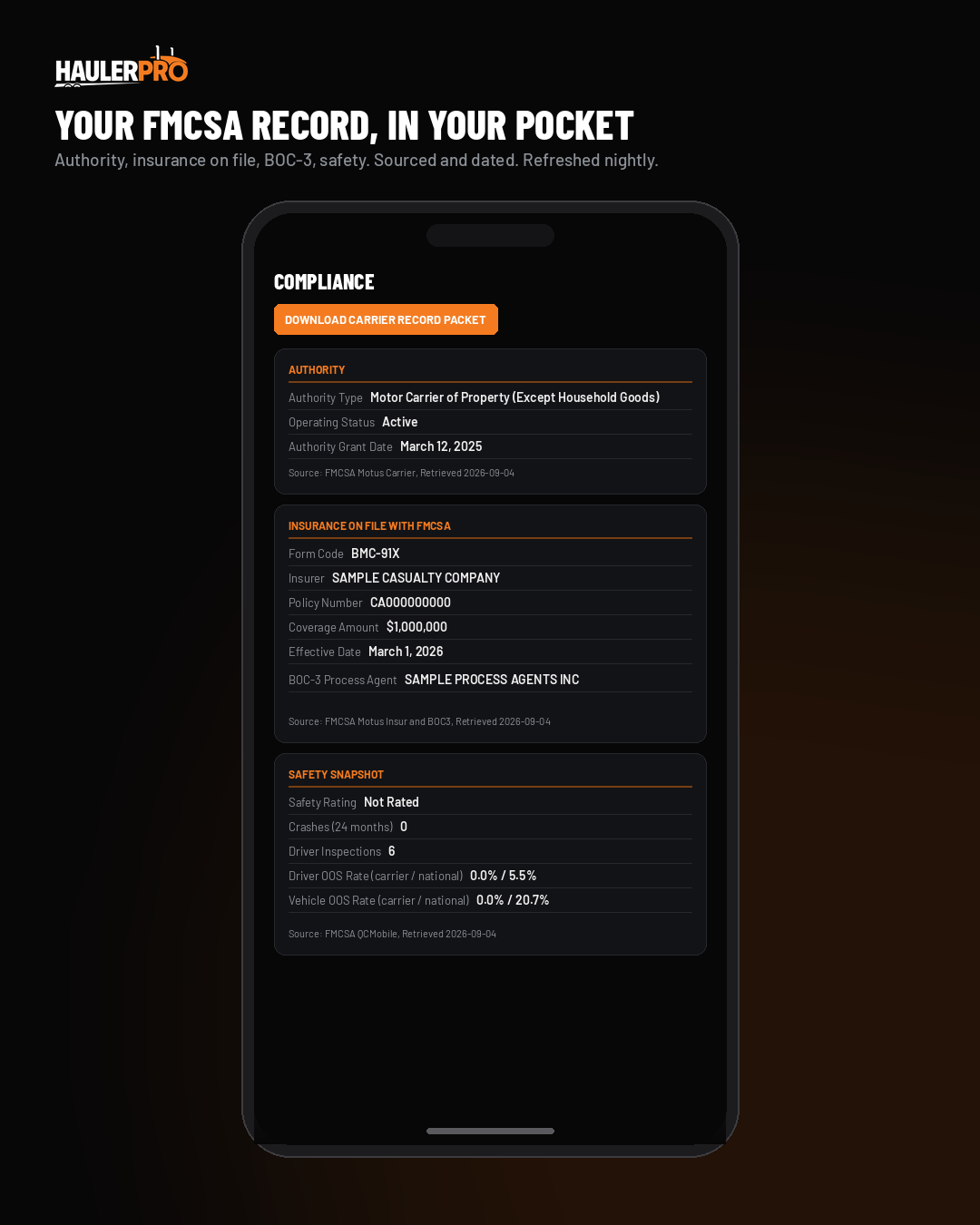
One button on the Compliance page builds a PDF. That is the packet.
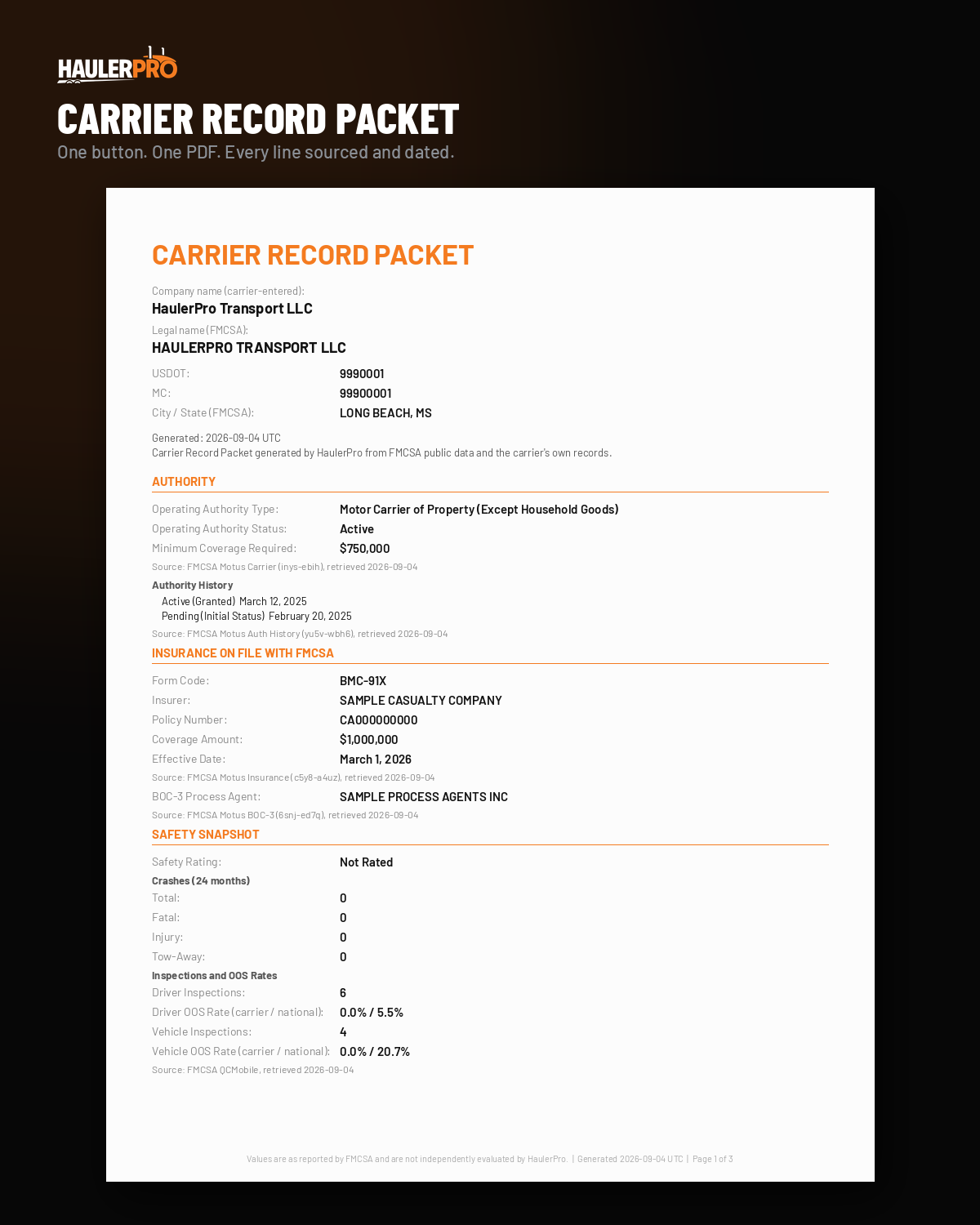
Page one is your FMCSA record: legal name as FMCSA has it, USDOT and MC numbers, authority type and status and grant date, the insurance filing, the BOC-3 agent, and the safety snapshot. Every section names its source and the date it was retrieved.
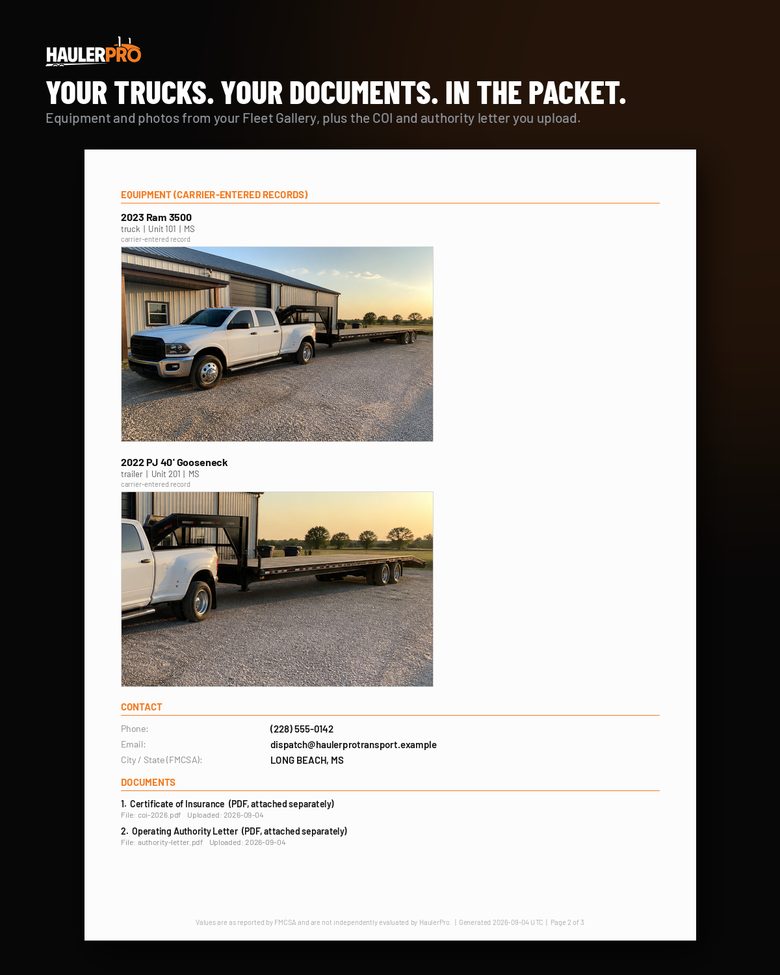
Page two is you: your trucks and trailers as you entered them, with the cover photo from your Fleet Gallery, labeled as carrier-entered records so nobody mistakes them for FMCSA data. Then your contact information, and the list of documents you have uploaded.
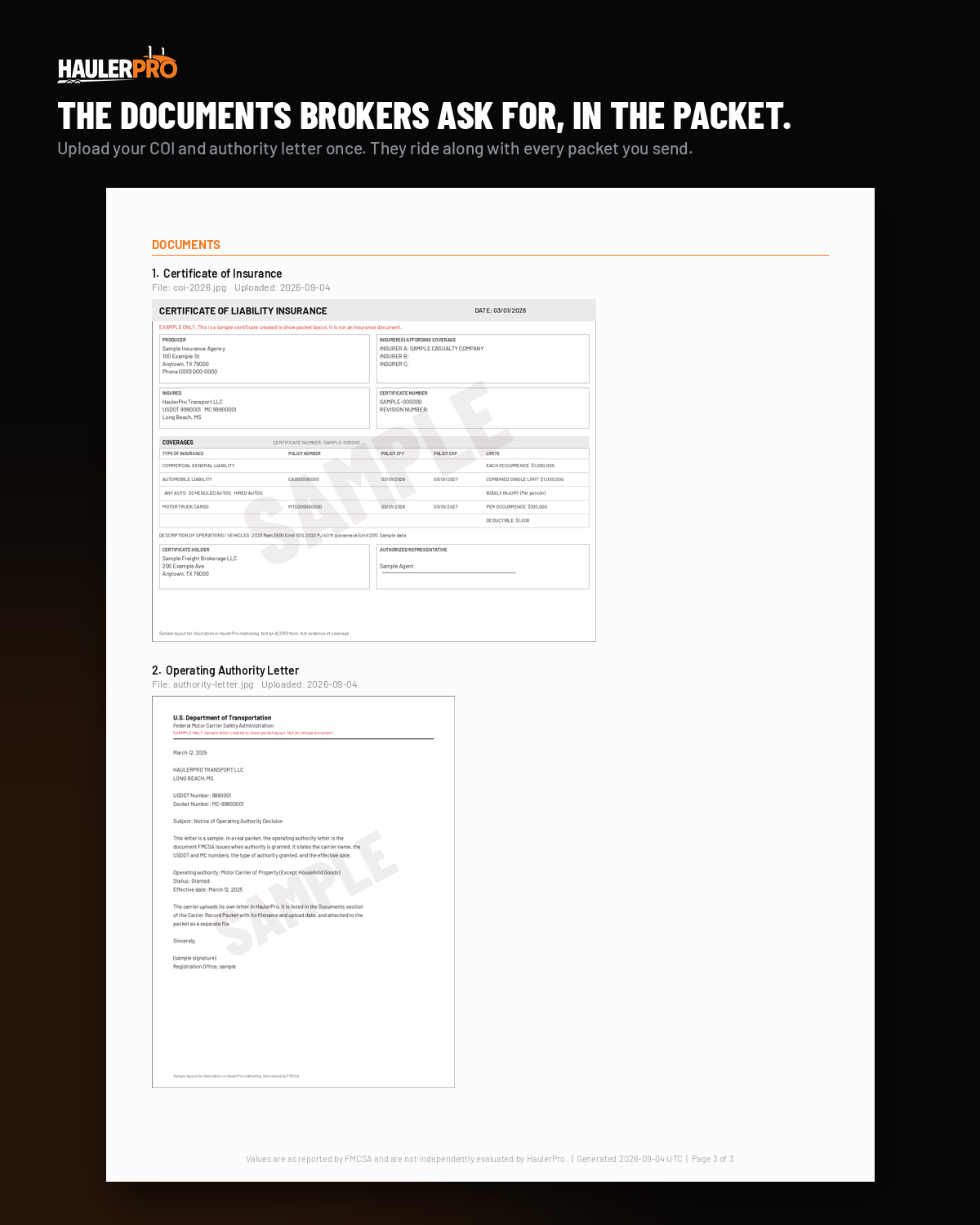
Page three is the documents. Photos you upload, like a snapshot of your COI, are embedded right in the packet. PDFs are listed by name and upload date and travel with the packet as separate files.
The documents shown in these images are samples we created to show the layout. They are stamped SAMPLE and are not real insurance or FMCSA documents. The carrier in every image is a placeholder, HaulerPro Transport LLC, with a USDOT number FMCSA has never issued.
Every page carries the same footer: values are as reported by FMCSA and are not independently evaluated by HaulerPro.
What it is not
It is worth being plain about this, because a compliance tool that overstates itself is worse than no tool.
- It is not a verification service. HaulerPro shows what FMCSA publishes and what you entered. It does not certify either.
- It is not a safety rating. The safety section is FMCSA's numbers next to FMCSA's national averages. Nothing on the page decides whether those numbers are good.
- It does not promise that a broker will book you. Brokers set their own rules, including minimum authority age, and the packet does not change them.
- It is not a substitute for your actual COI. Your agent's certificate is still the document a broker will want on file. The packet carries it; it does not replace it.
How it could help
What it can do is take the slow, messy part out of the first conversation.
- You answer in minutes, not days. The packet is built from data that is already in your account. When a broker asks, you build it and send it from your phone.
- Everything is in one file. No screenshots of the FMCSA site, no forwarded emails from your agent, no hunting for the authority letter.
- Every line shows where it came from. A broker can see the source and the date on each item, which is what a careful broker wants to see anyway.
- It stays current without you. The FMCSA record refreshes nightly, so a packet you build next month reflects next month's record.
- Your trucks are in it. For a hotshot or a small fleet, a photo of clean equipment often says more than the paperwork does.
How to build one
- Sign in to HaulerPro and open Compliance in the left menu.
- Check that your USDOT and MC numbers are set in Settings. The page pulls your record from those.
- Add your trucks and trailers in the Fleet Gallery with a cover photo for each.
- In the Documents card on the Compliance page, upload your certificate of insurance and your operating authority letter. Add your W-9 if you want it in the packet.
- Click Download Carrier Record Packet. The PDF opens in a new tab; save it or send it from there.
- Rebuild it whenever something changes. The previous packet is replaced each time.
Where the data comes from
For carriers who want to know: the authority, insurance, and BOC-3 data comes from the public datasets FMCSA publishes for its licensing and insurance system, refreshed daily by FMCSA and pulled into HaulerPro every night. The safety data comes from FMCSA's public carrier record. Historical authority events from before FMCSA's May 2026 system change come from the older public dataset and are labeled with its cutoff date.
FMCSA's public data is not perfect. Filings can lag, and there are documented cases of carriers with valid filings that do not appear in the public feed. That is why the page says "no record found as of this date" rather than "not insured," and why you can upload your own documents alongside it.
Who it is for
New carriers first. If your authority is weeks old and you are hearing "send me your packet" for the first time, this is the shortest path from that request to a file in the broker's inbox.
It is also for established carriers who are tired of assembling the same things every time they onboard with a new broker, and for anyone who wants to see their own FMCSA record without clicking through four government pages.
The Compliance page and the Carrier Record Packet are included with every HaulerPro plan. Plans start at $59 per month for 1 to 2 users, plus $29 per month for each added user, with a 14-day free trial and no credit card required.
HaulerPro is founder-led, with support from the person who built the software around how carriers actually work. Questions about the packet or your Compliance page: support@haulerpro.app.
Sources
- Montgomery v. Caribe Transport II, LLC, No. 24-1238, 608 U.S. ___ (May 14, 2026). Opinion text at Cornell Legal Information Institute: https://www.law.cornell.edu/supremecourt/text/24-1238. Summary at Justia: https://supreme.justia.com/cases/federal/us/608/24-1238/. Coverage: SCOTUSblog, "Court rules freight brokers can face negligent hiring suits under state law," May 15, 2026, https://www.scotusblog.com/2026/05/court-rules-freight-brokers-can-face-negligent-hiring-suits-under-state-law/. ↩
- Crowell & Moring LLP, "Bad Match, Big Consequences: Supreme Court Holds Freight Brokers Accountable for Negligent Carrier Selection," May 19, 2026, https://www.crowell.com/en/insights/client-alerts/bad-match-big-consequences-supreme-court-holds-freight-brokers-accountable-for-negligent-carrier-selection. See also Gordon Rees Scully Mansukhani, "Montgomery v. Caribe Transport II, LLC: A Turning Point in Freight Broker Liability," June 4, 2026, https://www.grsm.com/insight/montgomery-v-caribe-transport-ii-llc-a-turning-point-in-freight-broker-liability. ↩